
Drupal
The Collaborate module (drupal/collaborate, or janalis/collaborate_drupal on Packagist) brings the bundle to Drupal's administration, on Claro or Gin:
- Shared drafts of content entity forms. Editors of the same node (or term, media, block content, user…) share one draft: text fields, CKEditor 5 fields as rich text, selects, checkboxes, radios and autocompletes, the items of multi-value fields, added, removed and reordered, paragraphs and the entities Inline Entity Form's simple widget edits. Save goes through the entity form's own validation and submission; a new entity's form is drafted together through its invitation link and created once.
- Presence and cursors. Navigation's top bar shows who else is on the page; their pointers, carets and the field each one is in are drawn in their color.
- Refreshed listings. The content overview, views and entity pages reload when a save elsewhere changes what they show.
- Notifications. A bell in the top bar, topics each editor subscribes to, Drupal's queue for delivery, and web push.
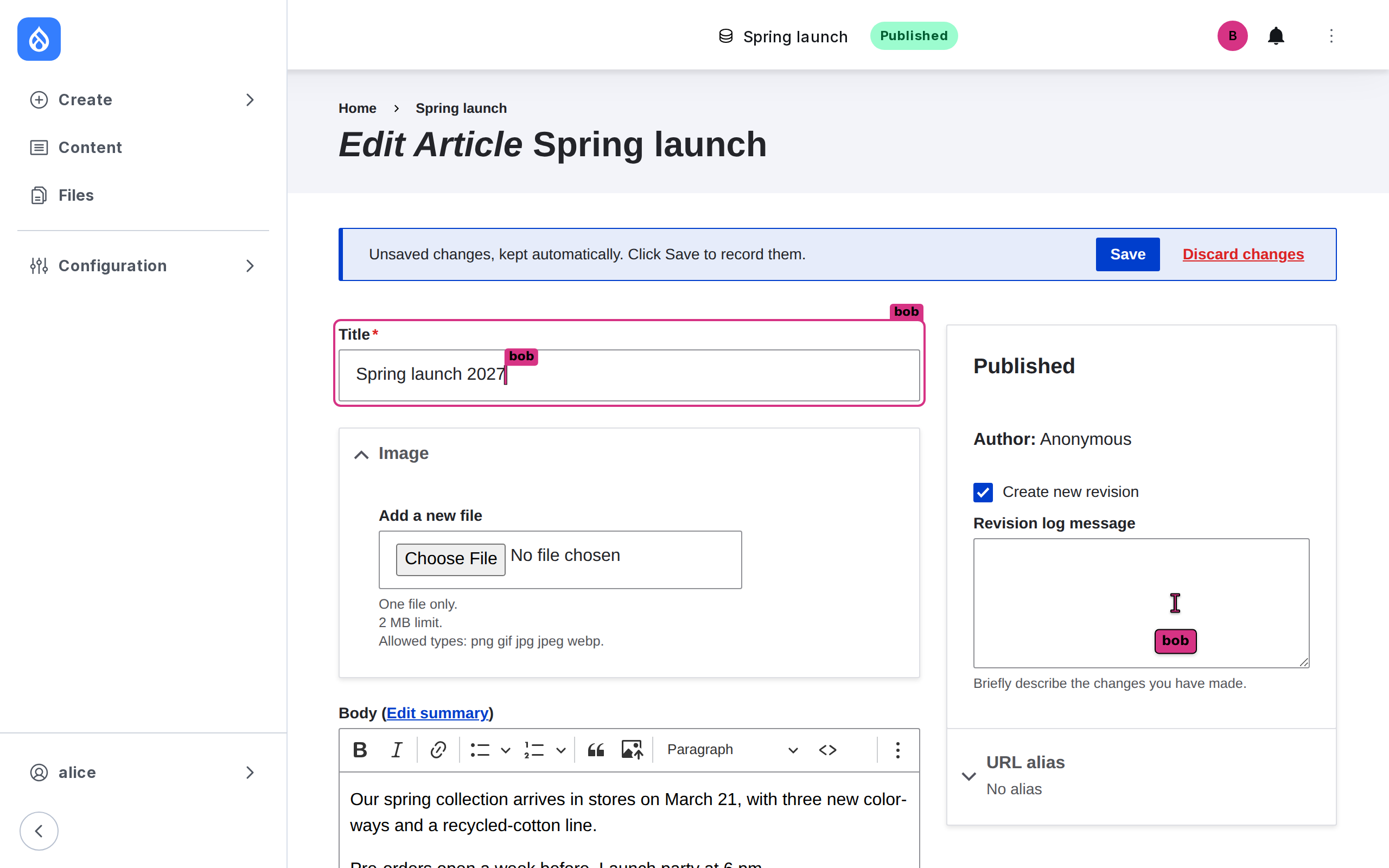
Bob's selection in a CKEditor 5 body, as Alice sees it:
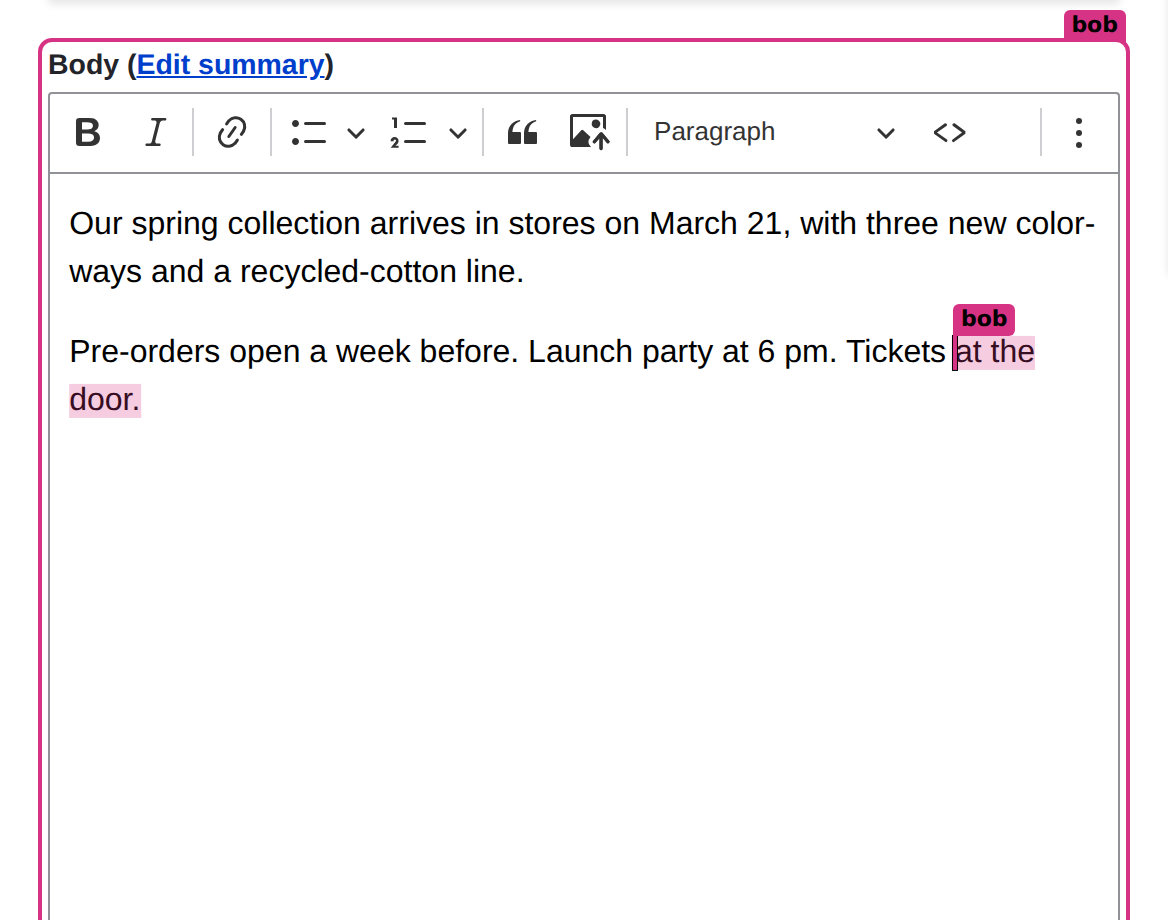
An article saved outside the draft: the draft shows what differs before anyone saves it.
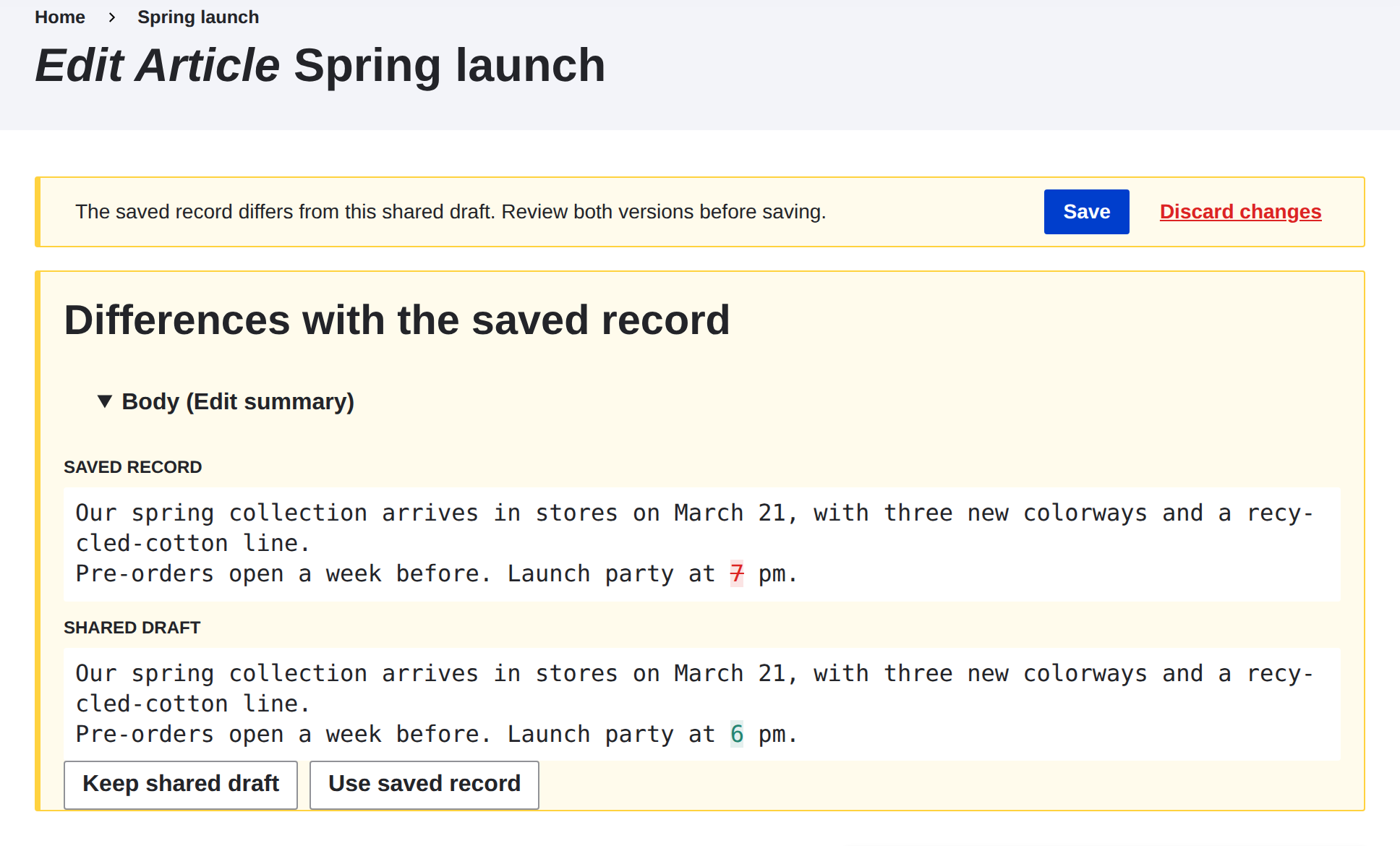
The bell in Navigation's top bar:
Requirements
- Drupal 11.3 or later, or 12, on PHP 8.4+.
- MariaDB 10.6+, MySQL 8, PostgreSQL 16+ (Drupal 11's minimum) or SQLite 3.35+: the module's tables live in the site's database.
- A hub: a Mercure hub (FrankenPHP's built-in one works), or the bundle's WebSocket server, run with Drush.
Install
composer require drupal/collaborate   # or janalis/collaborate_drupal, from Packagist
drush pm:install collaborate
Installing creates the module's tables, as the bundle maps them (collaborate_draft…, collaborate_notification…, under the site's table prefix). Grant the permissions:
| Permission | Lets a user |
|---|---|
use collaborate | see who else is on a page, share the drafts of the entity forms they may edit, and hear of saves elsewhere |
receive collaborate notifications | use the bell, choose its topics, and receive web push |
administer collaborate | configure the module |
The hub
Name it in settings.php, which keeps its secrets out of the exported configuration. A Mercure hub:
$settings['collaborate_mercure'] = [
  'url' => 'https://example.com/.well-known/mercure',  // where Drupal publishes
  'public_url' => 'https://example.com/.well-known/mercure', // where browsers subscribe; url when left out
  'jwt_secret' => getenv('MERCURE_JWT_SECRET'),
  // The claims a Mercure 1.0 hub asks of every token, as MercureBundle's jwt.claims.
  'claims' => ['iss' => 'drupal', 'aud' => 'https://example.com/.well-known/mercure'],
];
Until it is named, pages render, nothing reaches them, and the status report says why.
The WebSocket hub instead, with the options of collaborate.hub:
$settings['collaborate']['hub'] = [
  'transport' => 'websocket',
  'websocket' => [
    'public_url' => '/collaborate-hub',
    'secret' => getenv('COLLABORATE_HUB_SECRET'),
  ],
];
and run it as the WebSocket hub guide describes, with drush collaborate:hub:serve.
$settings['collaborate'] takes any option of the bundle's configuration; the module's own choices (its services, its permissions as the roles) win over it.
Configuration
Configuration → Content authoring → Collaborate (/admin/config/content/collaborate) sets who sees the others and how, shared drafts, refreshed listings and notifications. Its advanced key, in the exported collaborate.settings, takes any other option of the bundle, such as notification topics and types:
# config/sync/collaborate.settings.yml
notifications:
  enabled: true
advanced:
  notifications:
    topics:
      content: { label: Content }
    types:
      saved: { topic: content, sentence: '%name% saved %title%.' }
The bundle's configuration tree validates every option. Saving the form rebuilds the container, which the services read their options from.
What the module does
| Part | Role |
|---|---|
CollaborateServiceProvider | Loads the bundle's services into Drupal's container, from the options above, and points them at the module's adapters: the current account and its permissions, Drupal's CSRF tokens, t(), its URL generator and its database (through Doctrine DBAL, and an entity manager for the notifications). |
| Entity forms | Describes a content entity form's fields by their name, marks its items and form (data-collaborate), begins the locked save when a signed submission validates, and completes it once the entity is saved. Answers the page's refresh (X-Collaborate-Refresh: 1) with the form's configuration and token. |
| Item keys | Keys the items of a multi-value field of unlimited cardinality, so the draft shares them as a collection: see below. |
| Entity hooks | Tell the bundle what an insert, update or delete changed: the entity type for the listings, the entity's draft for its editors. |
| Page | Attaches the module's script and an import map (the bundle's modules, served by the module; Drupal's CKEditor 5 build as ckeditor5), renders the layer at the bottom of the page, and marks the page (data-collaborate-page). |
| Navigation top bar item, blocks | Who else is here, and the bell. Without Navigation, place the Collaborate: who else is here and Collaborate: notifications blocks in the administration theme's header. |
Queue worker collaborate | Writes the notifications and sends the web pushes, on cron or drush queue:run collaborate. |
| Cron | Purges the drafts saved or abandoned long enough ago. |
| Drush | collaborate:hub:serve, collaborate:purge, collaborate:push:setup. |
Multi-value fields
Drupal numbers a field's items by their position, and renumbers them when it rebuilds the field ("Add another item", Remove, a reorder). The module gives each item of a field of unlimited cardinality a key instead: the page names the item's controls by it (field_tags[p0][target_id]), Drupal reads the submission back by the positions it built the form with, and the key rides on the item through Drupal's rebuilds.
- Typing in the empty row Drupal renders below the items, or in the one "Add another item" adds, makes it an item: the others see it in their own empty row, or in one their page asks Drupal to add.
- Remove removes the item for everyone: their page presses the item's Remove button.
- A reorder (dragging an item, or its weight) moves it for everyone.
- Save stores the items the draft holds, and records their keys in their saved order: a page opened afterwards keys them the same way.
Fields of limited cardinality show all their rows; they are shared row by row. File and image fields upload on their own and are not keyed.
Paragraphs and inline entities
A Paragraphs field's paragraphs are its items: each one's subform is shared as the other fields are, under the paragraph's key.
- Adding a paragraph ("Add Text") adds one of its type to the others' pages: its key names its type (
n<type>-<uuid>), and their page asks Drupal for one under that key. The draft knows each type's subform from the start, whichever paragraphs the article holds. - Removing one, or reordering them, does so for everyone.
- On a shared form, paragraphs stay open: a closed paragraph has no controls to show the others' edits in, and Paragraphs would save it as it was. The buttons that collapse, duplicate or convert a paragraph, and drag-and-drop mode, are left out; the form display's edit mode is
openfor the editors who collaborate.
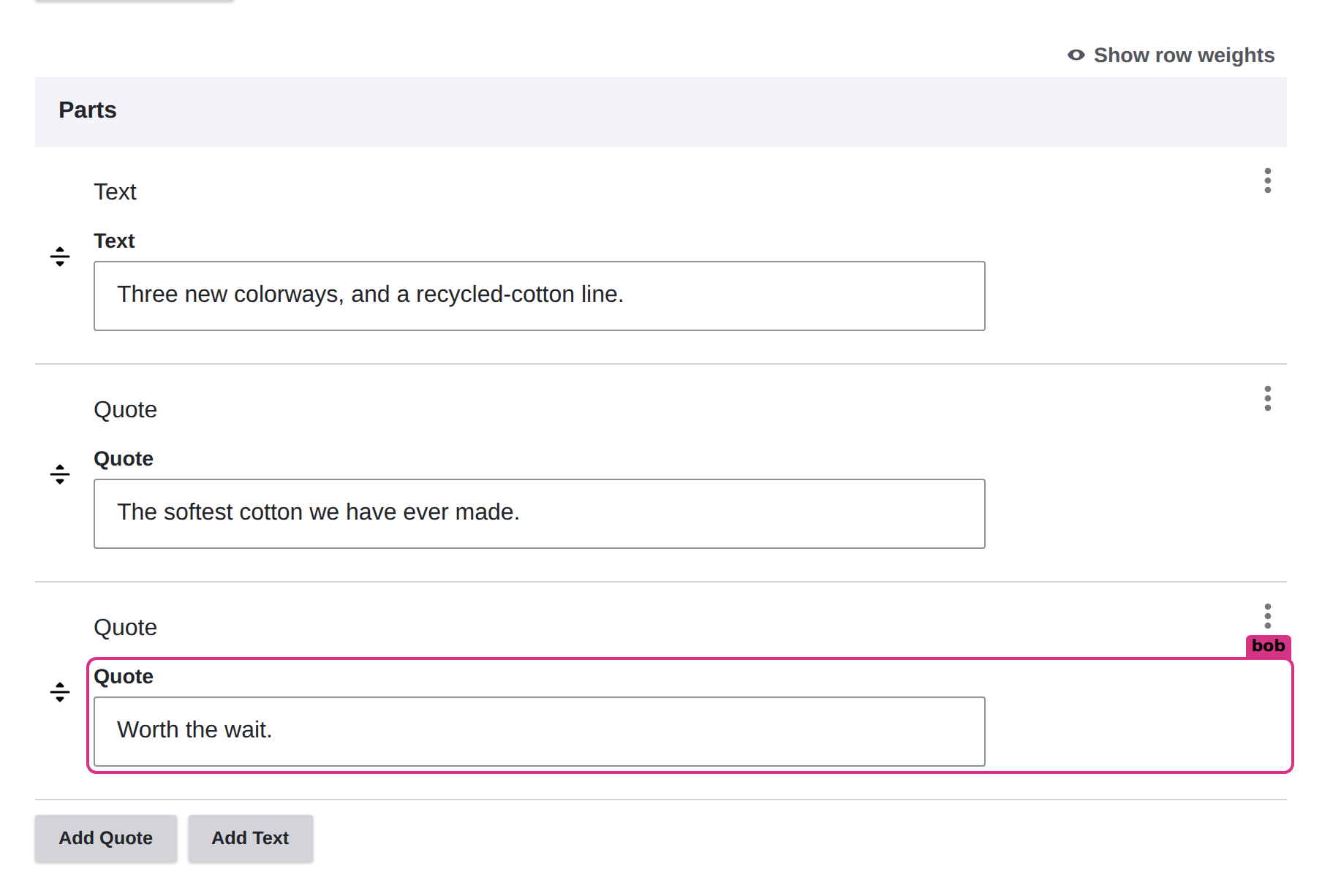
Inline Entity Form's simple widget is a multi-value field whose items are the referenced entities' forms: they are shared the same way, and the entities a page adds inline are created once, by the save.
Limits
- Inline Entity Form's complex widget is not shared: the forms it opens over AJAX are the editor's own, and the field holds what the last save sent.
- A field's
#statesthat names another field's item by its position no longer finds it: the item's controls are named by their key.