
Getting started
Run the container image, create a first redirection in the administration, then try it. To install a package instead, see Installation.
1. Start the server
docker run -d --name redirect-proxy \
  -p 8080:8080 -p 127.0.0.1:8081:8081 \
  -v redirect-proxy:/var/lib/redirect-proxy \
  -e RP_BOOTSTRAP_ADMIN_USERNAME=admin \
  -e RP_BOOTSTRAP_ADMIN_PASSWORD='choose-a-long-password' \
  ghcr.io/janalis/redirect-proxy:latest
The redirect listener (8080) is meant to be public. The admin listener (8081) should only be reachable from a trusted network or through an authenticating reverse proxy: here it is published on 127.0.0.1 only.
The bootstrap password stays readable in the container configuration: once the administrator exists, recreate the container without RP_BOOTSTRAP_ADMIN_PASSWORD (the server warns while it is still set), or pass it as a secret file with RP_BOOTSTRAP_ADMIN_PASSWORD_FILE.
2. Sign in
Open the administration at http://localhost:8081 and sign in with the bootstrap account.

3. Create a redirection
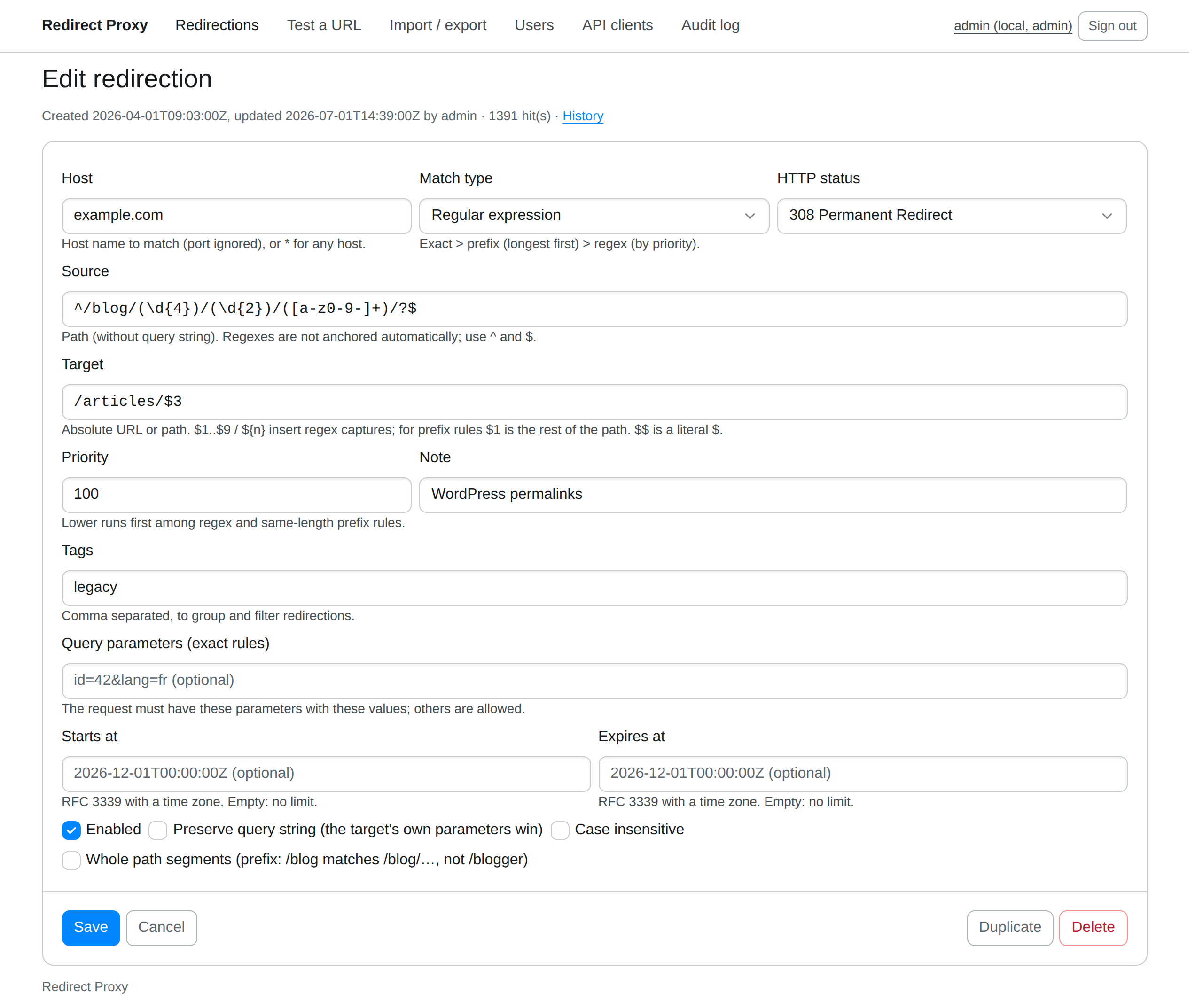
Choose New redirection, then fill in at least the source path and the target. The rules page explains every field: hosts, prefix and regular expression matches, substitutions, query conditions, schedules.
4. Try it
curl -sI http://localhost:8080/old-page
# HTTP/1.1 301 Moved Permanently
# location: https://example.com/new-page
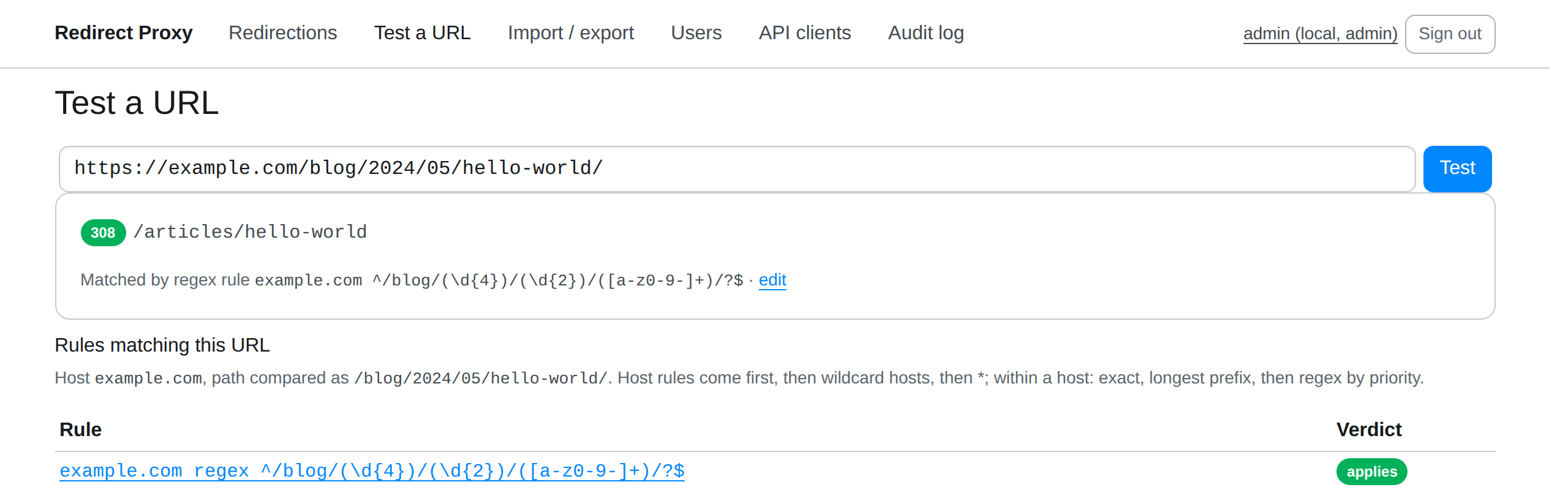
Or use Test a URL in the administration, which also shows the rules that did not apply, and why:
5. Put it in front of your site
Recreate the container with RP_SERVER_UPSTREAM, the address of your website as the container sees it (not 127.0.0.1, which is the container itself): requests no rule matches now go on to the site. Docker Desktop resolves host.docker.internal to the host; on Linux, --add-host maps it to the host's gateway address (the site must then listen on that address, or on all addresses, not only on 127.0.0.1).
docker rm -f redirect-proxy
docker run -d --name redirect-proxy \
  -p 8080:8080 -p 127.0.0.1:8081:8081 \
  -v redirect-proxy:/var/lib/redirect-proxy \
  --add-host=host.docker.internal:host-gateway \
  -e RP_SERVER_UPSTREAM=http://host.docker.internal:3000 \
  ghcr.io/janalis/redirect-proxy:latest
curl -sI http://localhost:8080/
# HTTP/1.1 200 OK (your site's home page)
Then have your web server or load balancer pass the site's traffic to port 8080: Web servers has configurations for nginx, HAProxy, Apache httpd, Caddy and Traefik.
Next steps
- Rules are kept in
redirects.jsonin the data directory: you can edit, version or generate it and reload it. - Configure listeners, storage, logs and sign-in.
- Automate changes with the REST API or the command line.
- Before production, read Deployment and Monitoring.