
Getting started
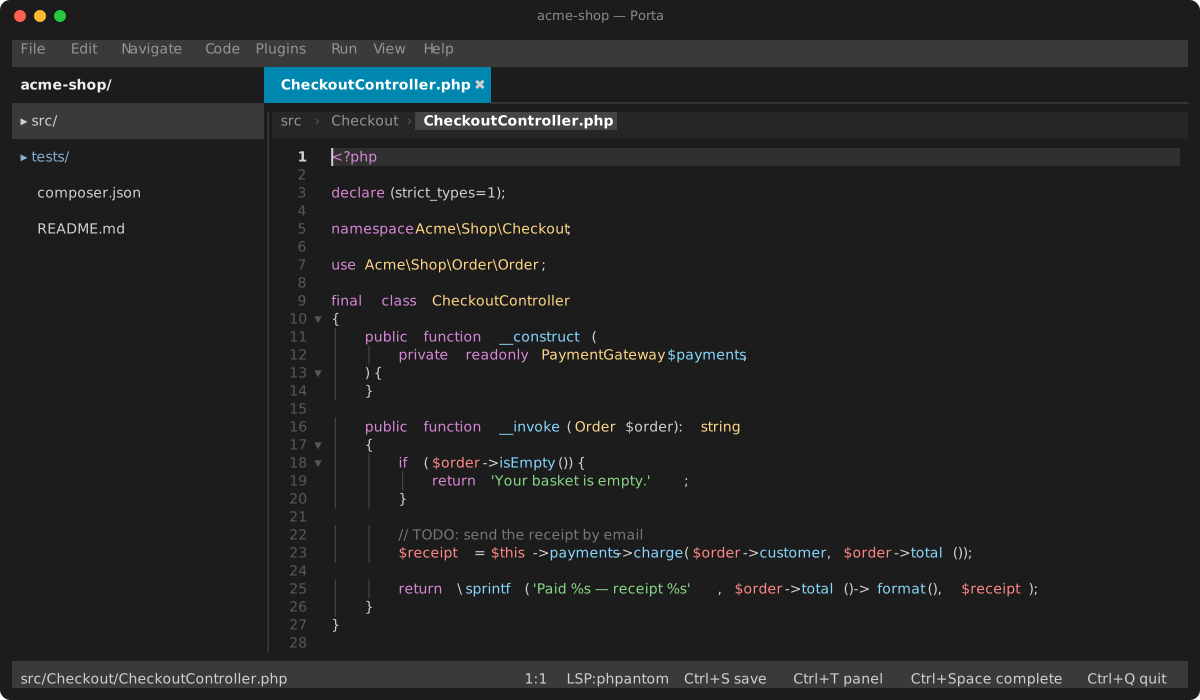
Requirements
- PHP ≥ 8.5
- An interactive terminal. Mouse support and heavily modified chords work best in terminals with SGR mouse reporting and the Kitty keyboard protocol (kitty, WezTerm, iTerm2 3.5+, foot, Ghostty).
Installation
Porta is a command, porta. It needs PHP ≥ 8.5 and an interactive terminal. Four ways to put it on your PATH:
Homebrew (macOS, Linux) — the phar, with PHP as a dependency:
brew install janalis/tap/portaThe phar — one file, no Composer at run time. Download it from the latest release, then:
curl -fsSLO https://github.com/janalis/porta/releases/latest/download/porta.phar
install -m 755 porta.phar ~/.local/bin/porta
porta --self-update   # later: replace it with the latest release
--self-update checks the release's SHA-256, runs the new phar once, and only then swaps it in; --self-update --dry-run only says whether there is one. A GH_TOKEN or GITHUB_TOKEN in the environment is sent along, which only lifts GitHub's anonymous rate limit. To build it yourself instead: composer install && composer build:phar, which fetches Box into build/ the first time.
Composer, globally. Porta follows symfony/tui's development branch, hence the stability settings:
composer global config minimum-stability dev
composer global config prefer-stable true
composer global require janalis/porta
and put $(composer global config bin-dir --absolute) on your PATH.
A checkout, to work on Porta itself — a symlink is enough:
ln -s "$PWD/bin/porta" ~/.local/bin/portaOnce Porta runs, Settings → Command line does the same from inside it — installs, updates or removes the porta link, and Porta as git's difftool and mergetool. From a shell, porta --git-setup makes it git's tools, and porta --diff a.php b.php compares two files by hand — see the git guide.
Language server
For completion, diagnostics, navigation and refactoring you need an LSP server. The IDE looks for one in this order:
.porta.jsonin the project root — a single command or a per-language map (see configuration.md):json{"lsp": "php phpactor.phar language-server"}- The
PORTA_LSPenvironment variable (same format) - An enabled language-server plugin. phpantom (
phpantom_lsp) serves PHP out of the box; enable the bundled phpactor plugin under Settings → Plugins to usephpactor language-serverinstead, and symfony-lsp for Twig, YAML, XML and the rest of a Symfony project. Each resolves its binary from the plugin'sbinarysetting, then yourPATH. typescript-language-server/pyrighton yourPATHfor JS/TS and Python.
The quickest PHP setup is to install phpantom (PHPantom-dev/phpantom_lsp) so phpantom_lsp is on your PATH.
Without a server the IDE still works — you keep highlighting and editing; the status bar shows LSP:none.
Usage
porta             # open the current directory
porta src/Foo.php # open a file directly
porta ~/other/app # open another project
Launching without a file argument restores your previous session: open buffers, cursor positions and the active tab.
First steps
F10arms the application menu — every command with its shortcut.↓opens File, or type a title's underlined letter; in a menu, an item's underlined letter runs it.Ctrl+Shift+Aopens the command palette ("Find Action") — every action by name, fuzzy-filtered.Ctrl+Shift+N(orCtrl+P) fuzzy-opens files;Ctrl+Elists recent ones.Ctrl+,opens Settings (theme, UI language, keybindings, plugins, per-language indent/LSP/debugger).Ctrl+Qquits (twice to discard unsaved changes).
The IDE writes a .porta/ directory into the project (session, layout, local history, project plugins) and reads/writes .porta.json for configuration. Add /.porta/ to your project's .gitignore.