
Porta documentation
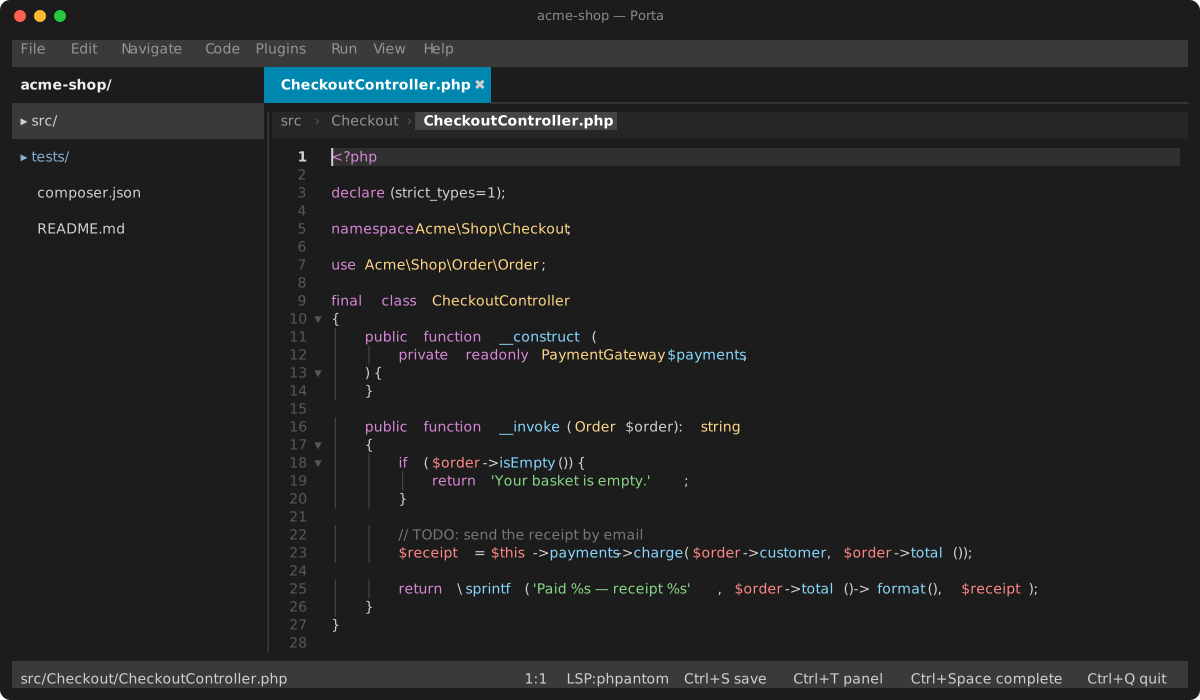
Porta is a terminal IDE for PHP projects built on symfony/tui, with an LSP client, a DAP debugger, git integration and a plugin system — all on a single non-blocking event loop.
Using Porta
| Guide | Contents |
|---|---|
| Getting started | Installation, LSP setup, launching, first steps |
| Editor | Buffers, editing, multi-caret, folding, indentation, live preview, mouse |
| Keybindings | Every default binding, and how to rebind |
| Search & navigation | Go to file/symbol/test, find in file, Find in Files, problems panel |
| Run & terminal | Run configurations, the integrated terminal |
| Debugger | DAP adapters, breakpoints, stepping, the debug panel |
| Configuration | .porta.json, the Settings view, .editorconfig, the .porta/ state directory |
| Plugins | Installing/removing plugins, writing your own, the PluginApi reference |
Bundled plugins
Porta ships these plugins, each documented in its own directory — and so can yours (Documenting your plugin). A plugin's guide also opens from its page under Settings → Plugins.
| Plugin | Contents |
|---|---|
| Git | Gutter markers, palette operations, the Git view (staging, commits, history), difftool and mergetool |
| Diff | The diff pane git and review show changes in, and the model behind it |
| Code review | Pull and merge request threads, and local reviews from an agent — in a view, in the diff and in the editor |
| Assist | Work on one project together, live: share it, let others in, edit the same files at once, follow each other |
| Agents (MCP) | Let an agent such as Claude Code read your buffers and diagnostics, open files and make undoable edits in the running IDE |
| SSH | Open a project that lives on a server over ssh: browse, edit, save |
| FTP | Open a project on an FTP or FTPS server: browse, edit, save |
| Local history | A snapshot on every save, independent of git: compare, restore, recover deleted files |
| Image viewer | Images and SVG drawings as pictures — zoom, pan, pixel-exact where the terminal allows |
| Graph viewer | Graphviz and PlantUML diagrams drawn beside their source, the project's architecture graph |
| TODO | Every TODO and FIXME in the project, in a panel |
| PHPantom | The suggested PHP language server, and its fixer |
| Phpactor | Phpactor as the PHP language server instead |
| Symfony language server | Twig, YAML, XML, JSON and dotenv intelligence, installed and updated for you |
| custos | PHP inspections and quick-fixes beside your language server, and Fix File |
| PHPStan | Analyse the current file, or every file on save |
| Psalm | Analyse the current file, or every file on save |
| Mago | Format and lint, on demand or on save |
| PHP CS Fixer | Fix the current file, or every file on save |
| Tempest | The built-in syntax highlighting engine |
| Chroma | Highlighting for the languages the built-in engine has no grammar for |
Language support
The UI is translated into English, French, German, Spanish, Italian, Japanese and Hebrew. Hebrew mirrors the layout — the file tree moves to the right — and reorders each pane's chrome right-to-left.
Code stays left-to-right, which is the point: the editor, the git diff, the terminal, the search results and the debug panel are verbatim, as are the Find-in-Files and go-to-file dialogs, which carry paths and code. Those surfaces' own headings stay left-to-right with them. Hebrew inside a document is not reordered either — the editor shows it in logical order and leaves shaping to your terminal.
Switch under Settings → Interface → Language.
Contributing
| Guide | Contents |
|---|---|
| Architecture | Event loop, DI composition root, rendering, subsystems, tests and quality gates |
| Events | The event bus: facts vs commands, listener priority, adding an event, the gates |
| Troubleshooting | Common failures and what they mean |
| Internals | Working on Porta itself: gates, container, subsystems, testing, settled questions |