
Chroma
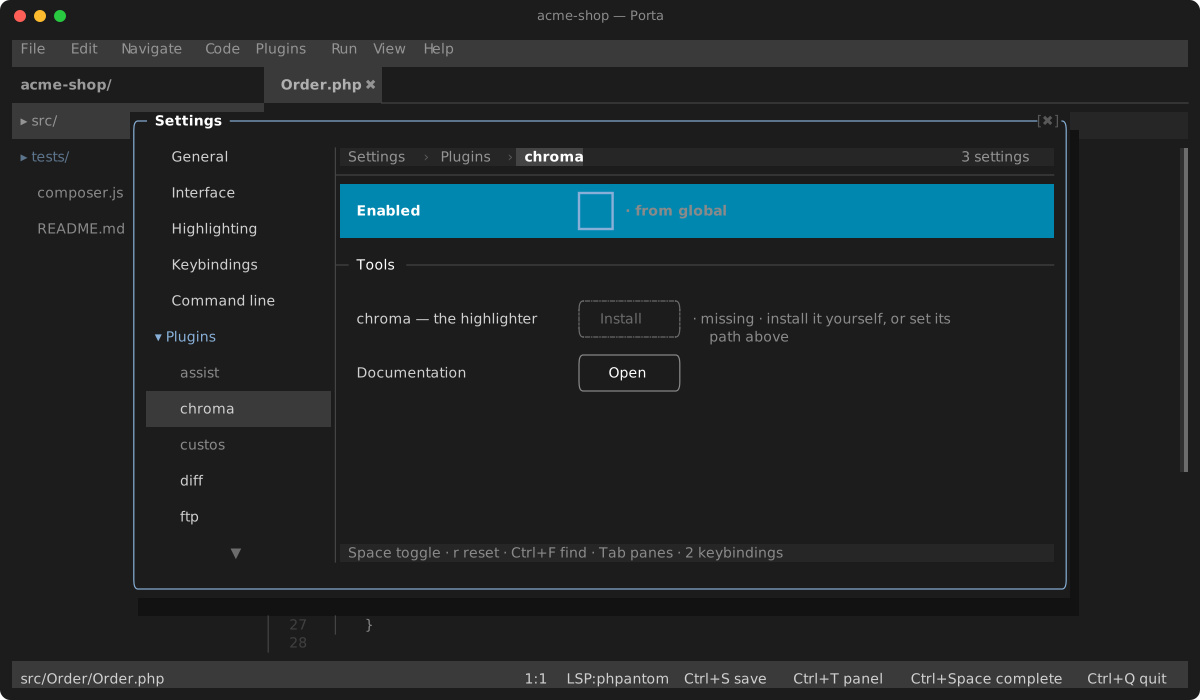
Syntax highlighting from chroma, the Go highlighter with close to three hundred lexers — for the languages Porta's own engine has no grammar for. Bundled with Porta and off by default — turn it on under Settings → Plugins → chroma.
Chroma runs as a separate process, which costs 40–70 ms a run: Porta asks for the colours and repaints when they arrive, after a short pause in your typing. That is why it claims only Rust, Go, Ruby, Elixir and Zig by default. Point it at PHP or JSON and typing gets slower for no gain in accuracy.
Porta keeps its own theme: chroma hands back tokens, not colours.
The plugin finds chroma through its chroma binary setting when you set one, otherwise your PATH, and its settings page offers to install it with Homebrew (brew install chroma).
Settings
| Setting | Default | What it does |
|---|---|---|
| chroma binary | empty | The executable to run; empty finds it on the PATH |
| Languages | rust,go,ruby,elixir,zig | Comma-separated lexer names to claim, or * for all |
| Debounce (ms) | 250 | How long typing must pause before chroma runs |
| Skip files larger than (bytes) | 262144 | Larger files are not sent to chroma; 0 claims nothing |