
Assist: working together, live
The bundled assist plugin lets several people work in one project at the same time, the way VS Code Live Share and PhpStorm Code With Me do. One person, the host, shares the project they have open. Others, the guests, join from their own Porta. Everyone edits the same files at once and sees each other's carets and selections. Anyone can follow anyone.
The host's copy is the one that counts:
- A guest needs no checkout of their own.
- A guest's saves and file operations are asked of the host, who carries them out.
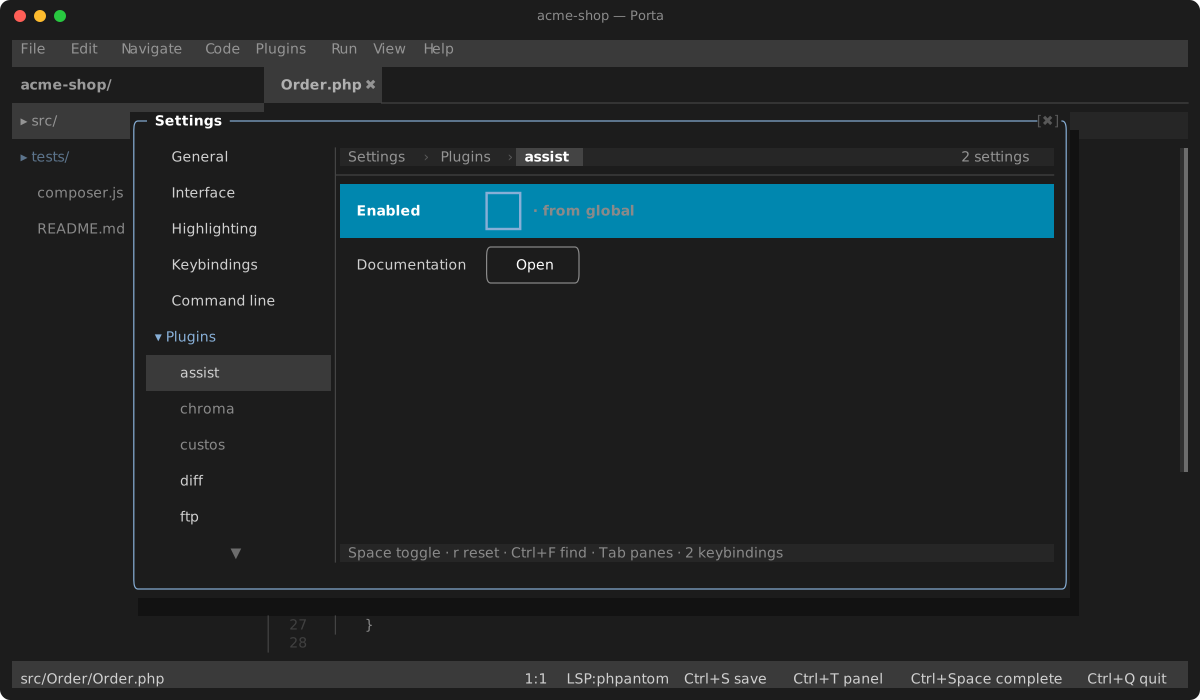
Enable it under Settings ▸ Plugins, or add "assist" to enabledPlugins in .porta.json.
Sharing a project
- Run Assist: Share This Project from the palette or the Plugins menu.
- Porta shows a code, for example
42-K7QM-X2PA, and copiesporta assist 42-K7QM-X2PAto the clipboard. Read the code out or send it to the person you want in. There is no address or port to set up: neither machine has to be reachable from the other. - When someone joins with it, the host is asked: Let them edit, Let them read along, or Turn them away.
Letting a guest edit trusts them with more than the text. Your project is trusted on your machine, so your tools obey its files. A guest who may edit can change what they run: a composer script or a Makefile target, or a config that names a program, like a .phpantom.toml or a mago.toml. Only let someone edit whom you would let type in your terminal. Reading along changes nothing.
A code lets one person in. Once it is used, the next one is ready at once: click ⇄ in the status bar and pick Copy the code to get it. If someone tries a code and gets it wrong, that code is spent too, and a toast gives the new one. A code only lets someone ask to join: the host still decides.
While sharing, the status bar shows ⇄ and how many are in. Click it to:
- follow someone;
- copy the code for the next guest;
- open Participants, where the host can change what a guest may do or remove them;
- stop sharing.
Assist: Stop Sharing ends the session for everyone.
How guests reach the host
Both sides connect out to two public servers run by the magic-wormhole project:
- The mailbox server is where the two sides meet. The number before the first dash is the meeting point. The letters after it never leave either machine. Both sides prove they hold the same letters with a password- authenticated key exchange (SPAKE2), so the server learns nothing it could use, and someone guessing gets one try before the code changes.
- The transit relay passes the session's bytes between the two sides. The session is encrypted from the guest all the way to the host with a TLS certificate made for this share. What the guest receives through the mailbox pins that certificate, so the relay cannot read the session or stand in for the host.
The servers see both sides' IP addresses and how much is sent, but never your files, what you type, or the letters of the code.
To use servers of your own instead, run magic-wormhole-mailbox-server and magic-wormhole-transit-relay. Then set Mailbox server (a ws:// address) and Transit relay (host:port) on the host. Guests join with porta assist <code> --mailbox ws://…. The relay comes from the host. A project you have not trusted cannot pick them in its own .porta.json: it would learn who shares it, and when. Yours, set globally, still apply.
Joining
Run the code in a terminal:
porta assist 42-K7QM-X2PACase does not matter, and the dashes may be spaces. If the code is wrong, already used, or nobody is sharing with it, Porta says so.
Add --name to choose the name the others see. Without it, Porta uses your login name.
- The host is asked to let you in.
- Once you are in, a copy of the host's project is brought up to date under
~/.porta/assist/. - Porta opens on that copy, connected to the session. The copy is the host's code, so it opens restricted unless you once chose to trust it: nothing the host ships — a
.porta.jsonprogram, avendor/bintool, a language server's config — runs on your machine. Assist and the host's language servers work all the same.
What the copy holds:
- Which files. What git shows (tracked files, and untracked ones that are not ignored), plus
vendor/so your own language server can resolve the dependencies. Where git cannot list the repository (it is not on the host'sPATH, or it refuses a folder another user owns), what the.gitignorefiles leave; outside a git repository, every file exceptnode_modules/. - What stays with the host. The host's
.git/,.porta/and.porta.jsonare never sent. - Joining again. It fetches only what changed since last time.
Assist: Join a Session… inside Porta asks for the code and copies the command for you to run. A session opens in its own Porta window because it is its own project.
In a session, as a guest:
- Opening a file asks the host for it. The host's text, unsaved edits included, replaces what your copy had.
- What you type reaches everyone who has the file open, and theirs reaches you.
- Saving asks the host to save, so the file lands on the host's disk. Everyone with the same text is marked saved too.
- Creating, renaming or deleting a file asks the host to do it. Files that change on the host, through a save, a checkout or a pull, are fetched again.
- Reading along (when the host chose read-only) makes the shared files refuse your keystrokes, with a message saying why. The caret, selection and copy still work.
- If the connection drops, the shared files go read-only and Porta keeps trying to reconnect, less and less often. A connection that died silently — a laptop asleep, a Wi-Fi changed — is noticed within half a minute. When it gets back in, it carries on from the host's copy, and what you typed that had not reached the host yet is sent again on top of it. Rights the host gave you, to type in its terminals or run its configurations, come back with you. A host that answers with another certificate than the invite named is not rejoined.
- Assist: Leave the Session ends it for you. The copy stays on disk for you to keep.
- Closing Porta keeps the session. Opening the copy again rejoins it, as long as the host is still sharing.
Language servers
A guest needs no language server of their own. Each language the host has a server for is served to the guest by the host. When the guest's editor starts one, Porta runs porta assist-lsp <language> in its place. That bridge asks the host, which starts its own server for the language, with its own settings, on its own files.
Go-to-definition, hover, completion and diagnostics all answer from the host's project. The file names are moved between the guest's copy and the host's project on the way, so a jump lands in the guest's copy.
A guest reading along may not run the server's commands, because what they do, they do to the host's files. A guest's servers stop when they leave or are removed, and when sharing stops.
Sharing a terminal
Assist: Share a Terminal lets the host pick one of their terminal tabs: a shell, or a run. Every guest gets a tab for it, marked ⇄, showing what it shows now and then what it prints. Guests who join later get it too. Picking the same terminal again stops sharing it. The guests' tabs stay open, marked "(ended)".
A shared terminal is read-only for guests by default. Typing into it is the host's shell running whatever is typed, so the host lets each guest type separately: in Participants, pick the guest, then Let them type in shared terminals (or Stop them typing). Until then, a key typed in the tab is refused with a message saying so.
Running the host's configurations
Assist: Run on the Host… lists the host's run configurations: the current file, the composer scripts, the Makefile targets. A guest picks one and it runs on the host, in the host's terminal panel. Its terminal is shared, so everyone sees what it prints, and the host is told who ran it.
Guests cannot run anything by default. A run executes on the host's machine, so the host lets each guest separately: in Participants, pick the guest, then Let them run the run configurations (or Stop them running). A guest only ever picks a configuration the host offers. It cannot send a command of its own, but a guest who may also edit can change what a configuration runs, a composer script or a Makefile target, before running it.
Debugging together
When the host debugs, every guest is told where the debugger stopped and gets a toast. Guests who join while it is paused are told too. Assist: Host's Debugger shows the host's stack, with Resume Program, Step Over, Step Into and Step Out above it. While the program runs, it offers Pause Program instead. Picking a frame opens its file at its line and lists its variables. A variable that holds more, an array or an object, is marked …, and picking it lists what it holds. Picking any other variable copies its value.
Any guest can look. Stepping is off by default, because it drives a program on the host's machine. The host lets each guest separately: in Participants, pick the guest, then Let them step the debugger (or Stop them stepping). A guest following the host already sees each stop, since the host's editor goes to the stopped line.
Sharing a server
A project's dev server (php -S localhost:8000, symfony serve) runs on the host. Assist: Share a Server asks the host for its port. Every guest can then reach it on their own machine: a toast gives the address, for example http://127.0.0.1:8000. The guest gets the same port number when it is free on their machine, and another one when it is not. Assist: Shared Servers lists the shared servers and copies an address.
Each connection a guest opens there is carried through the session, so it is encrypted like the rest. It reaches only the port the host shared, on the host's own machine: a guest cannot name another port or another address. Guests who join later get the shared servers too. Running Assist: Share a Server again lists what is shared: pick one to stop sharing it, which closes its connections. Any guest, reading along or editing, can use a shared server, so share only what you would let them use.
Carets, undo and following
- Carets and selections. Everyone's caret shows in their own colour, with their name at the end of the line and their selection tinted. A file someone else is in gets a
✦on its tab and tree row. - Agents count as participants. An agent at work on either side, such as one connected through the mcp plugin, shows the same way. Participants lists it, and you can follow it.
- One roster. The people in the session (not the agents) are also in core's participant roster: the
⚇count in the status bar, beside other Porta instances on the same files. When a guest loses the host, the others stay there as last seen, marked⌁, while it reconnects; after a minute without the host they are taken out, and they come back on reconnecting. See Participants. - Undo is your own. <kbd>Ctrl+Z</kbd> takes back only your own changes, even when others have typed since.
- Following someone. Assist: Follow Someone, or a name in the status bar's menu, makes your editor go wherever that person's caret goes, across files too, scrolled to show what they see. Moving your own caret stops following.
- Asking everyone to follow you. Assist: Ask Everyone to Follow Me (also in the status bar's menu) works from the host or any guest. Everyone else starts following you and is taken to where you are straight away, with a toast saying who asked. Each of them stops following the same way: by moving their own caret.
Settings
The name the others see beside your caret is core's Your name setting (displayName, under Settings → General → Participants), the one other Porta instances on the same project see too. Empty uses your login name.
| Setting | Default | What it does |
|---|---|---|
| Mailbox server | magic-wormhole's public one | The ws:// address where a host and its guests meet. Guests name the same with --mailbox |
| Transit relay | magic-wormhole's public one | host:port of the relay the session goes through. Guests use the one the host names |
| Most guests at once | 8 | More can join than there are caret colours. Past eight, the colours repeat |
| Largest file to share (MB) | 4 | Bigger files stay on the host |
Limits
- Each share is a new session. Its certificate lasts as long as that share. After Assist: Stop Sharing, nobody gets back in, codes and guests who were in included.
- A removed guest stays out. Removing a guest also closes the way in its code opened. To let them back, give them a new code.
- The public servers are shared by everyone. They are run by volunteers for magic-wormhole's own transfers. For a team that shares all day, run your own (see How guests reach the host).
- Eight guests by default. Most guests at once raises it. The editor has eight caret colours, so past eight the colours repeat. The name beside each caret still tells people apart.