
Running code & the integrated terminal
Run configurations
Ctrl+Shift+R opens the Run picker, which auto-discovers, in order:
- The current PHP file — "Run current file:
<name>" (when a.phpbuffer is active) - Composer scripts — every entry under
scriptsincomposer.json - Makefile targets — every column-0
target:in the project Makefile
Shift+F10 repeats the last run. Each run configuration gets its own terminal tab (reused across re-runs — re-running replaces only that tab's process, leaving your shells and other runs alone); the tab title shows … — exited (<code>) when the process ends.
Integrated terminal
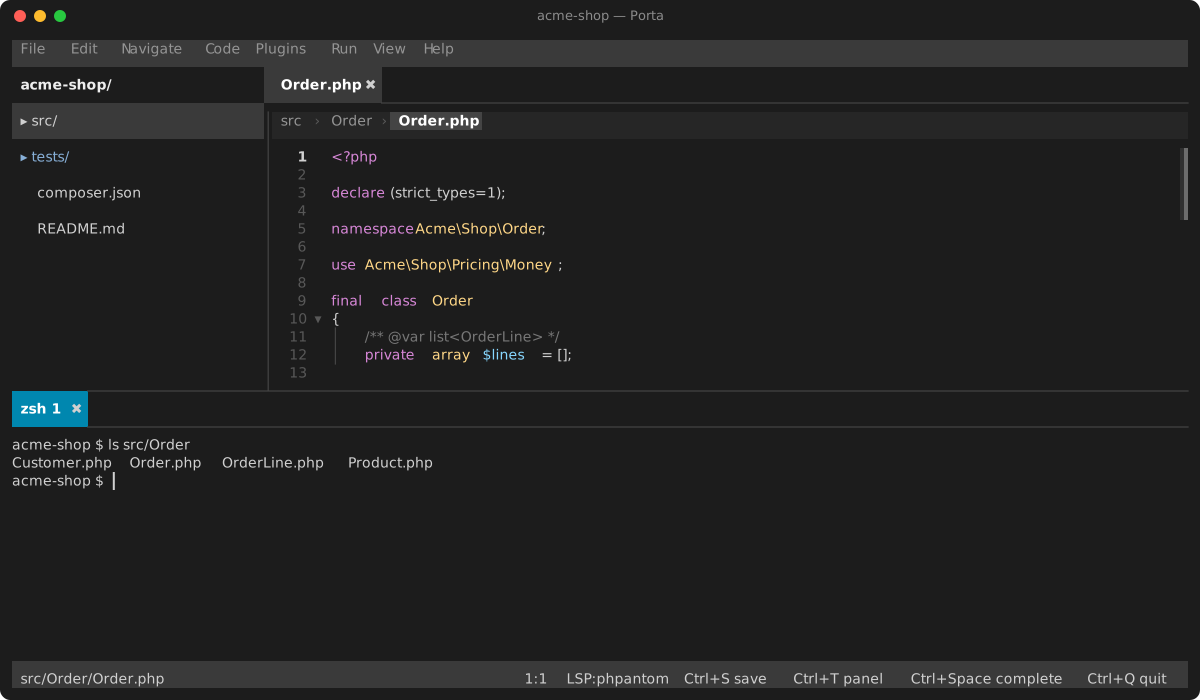
Ctrl+` or Alt+F12 toggles a bottom terminal panel running a real interactive shell ($SHELL -i, falling back to /bin/sh) on a pseudo-terminal. Colors and progress bars render; keystrokes are forwarded with proper terminal encoding. The shell keeps running while the panel is hidden.
Every session is a first-class tab on the bottom pane's single tab strip, next to the tool tabs (Problems, search results, …): Ctrl+Shift+` (or Alt+F11) opens another shell, Ctrl+Page Up / Ctrl+Page Down cycle between sessions, Ctrl+Shift+W (or a click on a tab's ✖) closes one — closing the last closes the panel. Click a tab to switch to it, drag it to reorder your sessions, or right-click it (or press Ctrl+F10 in the panel) for a New Session / Close Session menu; each session keeps its own scrollback and process. Debugger output appears as its own Debug: <file> tab, so a debug session and your shells coexist.
It is a line-oriented scrollback panel, not a full-screen VT host — running vim or htop inside it is out of scope.
Debugging
Full DAP debugging (breakpoints, stepping, frames, variables) is separate — see debugger.md.